YOUR PAY STUB. YOUR STYLE.

Create your pay stub, one step at a time.

Enter your details, review your stub, and make it yours.

Pay stub pricingSee current pricing

Choose a template to see its price.

Preview free · Pay when ready to download

YOUR TEMPLATERegularDark Gray · Professional
STEP 1 OF 5

Let’s start with your company

Add the company details you want to appear on your pay stub.

Use the full address as it should appear on the stub.
Select the state used for your payroll taxes.
Additional company details OptionalCompany logo, phone number, and EIN

Regular does not display a logo, phone number, or EIN. These details will be kept if you switch templates.

+
JPG or PNG, up to 3 MB.
Progress saves automatically for this browser session.
Next: employee details
Your details stay with you when you change templates.Need help?
GUIDES, DESIGNS & ANSWERS

Learn more before you begin.

Explore the templates, understand the process and find answers to common questions about your pay stubs.

Back to the form
FROM DETAILS TO DOWNLOAD

A clear path to your finished pay stub.

Work through the details at your pace. See your document take shape before you pay.

01 / ENTER

Start with your details

Add your company, employee and pay information. Set up one pay period or create several stubs together.

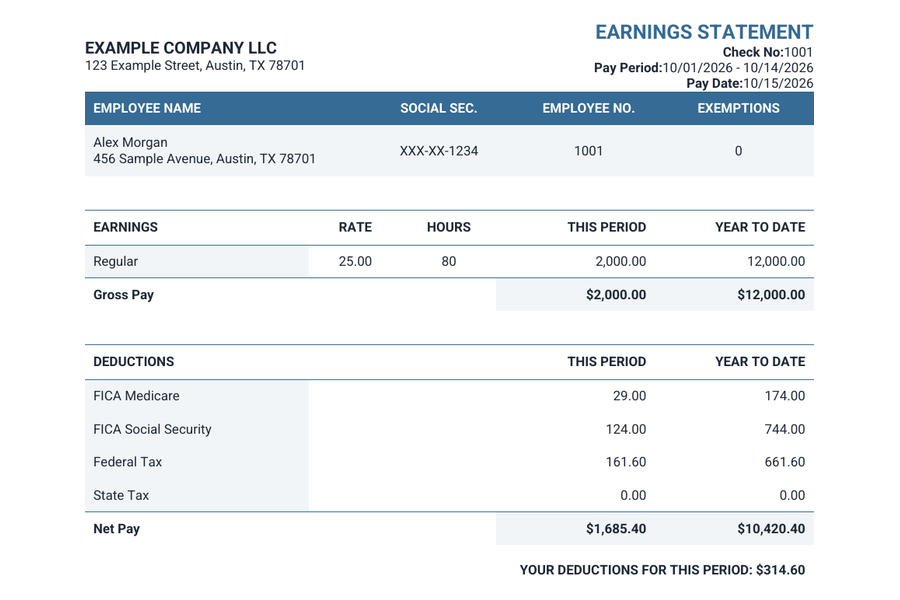
Modern pay stub template with sample earnings and deductions
02 / REVIEW

Make it your own

Choose from six layouts, change the color and font, and review each preview before checkout.

03 / DOWNLOAD

Keep a professional PDF

Complete your purchase, download your documents, and receive a copy by email.

ONE TOOL. SIX WAYS TO PRESENT IT.

The details you need.
A style that feels right.

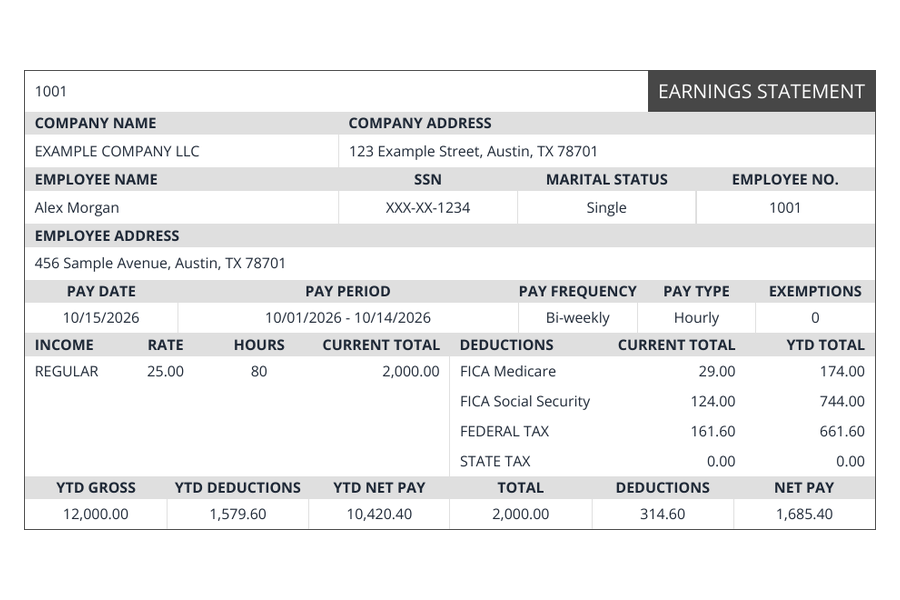
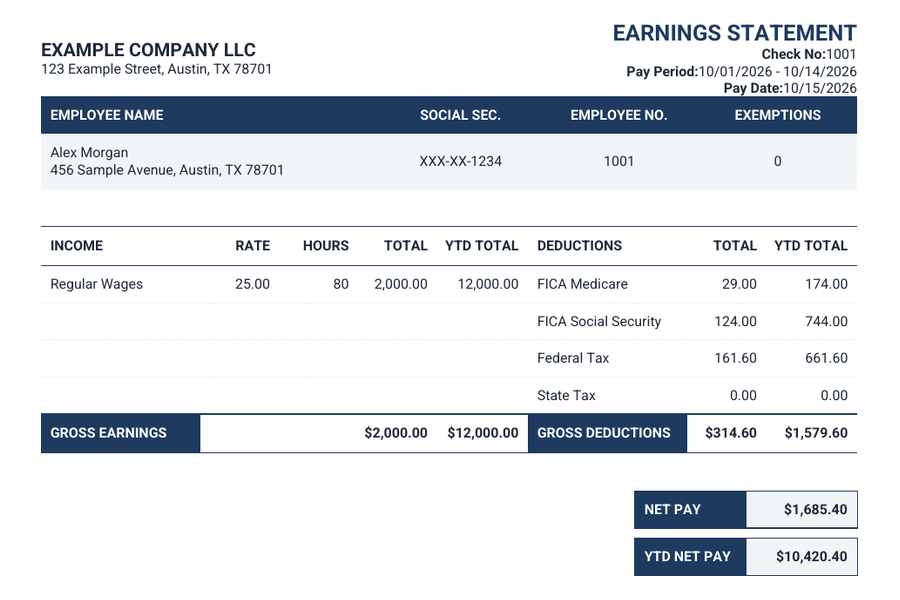
From a familiar earnings statement to a spacious Modern layout, choose the format that suits your records. Our pay stub template comparison explains the layout differences.
  • Six layouts with customizable colors and fonts
  • Hourly or salary pay, with year-to-date totals
  • Optional deposit slips and multiple pay periods
Compare templates & pricing
Regular pay stub sampleBank Style pay stub sample
A LITTLE HELP ALONG THE WAY

Before you get started.

Answers to the questions that come up most often.

Can I preview before paying?

Yes. Your preview updates as you enter details. Enlarge it to review each pay stub, switch templates, and check any deposit slips before checkout.

Can I change the template without starting again?

Yes. Your entered details are kept when you switch designs. Some templates display different optional fields; the picker explains which details each design shows.

What if I need to finish later?

Progress saves for this browser session. At checkout, Save for later gives you a private link to return to your order. Keep that link private and note its expiry date.

How do I receive my documents?

After successful payment, open your completed order to download your PDFs. Documents are also emailed to the address you provide at checkout. Check the address carefully before paying.

Update the other dates?

You’ve adjusted some dates. Would you like to replace those dates using your updated schedule? Hours and check numbers will stay the same.

Start a new order?

This will clear the current form. Orders saved with a private link will still be available through that link.

Your order is saved

Copy this private link to return and complete your purchase.

Keep this link private. Anyone with it can open and edit your saved details.

REGULAR TEMPLATE

Your stub preview

Review each pay stub and any deposit slip before checkout. Amounts appear once the required details are complete.